Button Battles Controls
Set up movement, camera, and press timing so traps hurt less and exits close faster on every device.
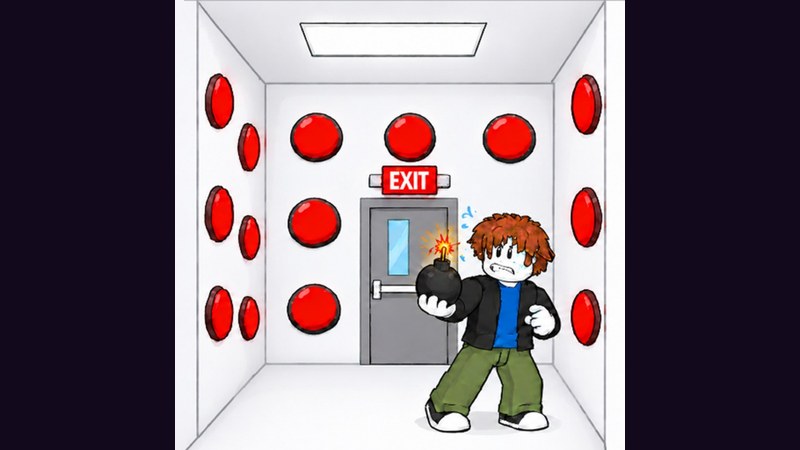
Button Battles uses standard Roblox movement layered with precise button presses, lobby pathing for steals, and menu navigation for the shop and group rewards. Clean inputs will not find the exit for you, but dirty inputs will create traps you did not mean to press. This controls guide covers PC, mobile, and controller habits that support the strategies on How to Win and Avoid Traps.
For the wider tools index, see Tools. For onboarding context, start at Getting Started.
Core actions you must be able to do
Whatever device you use, confirm you can:
- Walk and strafe smoothly inside a button box.
- Jump only when needed—not as a panic tic that throws camera aim.
- Rotate the camera to see entire clusters before pressing.
- Press / activate the button under or in front of your avatar intentionally.
- Stop pressing for a beat after feedback (trap, neutral, or exit).
- Path across the lobby toward stations and stealable targets.
- Open shop and reward UIs without accidentally requeuing the wrong pad.
If any of those feels unreliable, fix controls before blaming “RNG.”
PC defaults and recommendations
Typical Roblox PC mapping applies:
- WASD �?move
- Space �?jump
- Mouse �?camera
- Left click / E / proximity prompt �?interact depending on how the experience binds presses
Recommendations for Button Battles specifically:
- Lower camera sensitivity until you can pan across a box without overshooting.
- Keep the mouse free of heavy acceleration if you constantly flick past clusters.
- Do not bind spam macros. Burst clicking uncertain buttons raises trap odds.
- Use a quiet mouse click so you can hear in-game press feedback.
- Fullscreen reduces accidental taskbar hits during tense closes.
When the exit appears, the winning PC habit is camera toward exit �?walk �?no bonus clicks. Hesitation closes are covered on How to Win.
Mobile controls
Mobile lobbies are common. Thumb layout tips:
- Enable a comfortable dynamic joystick size so strafe micro-adjustments are possible.
- Keep the camera finger disciplined; wild swipes hide trap feedback.
- Tap once per uncertain button. Queued multitaps are how mobiles feed traps.
- After a trap, literally lift both thumbs for a second before rotating clusters.
- When chasing steals, use wider turns around station crowds instead of fighting joystick drift through a pile of avatars (Steal Cash).
If your device overheats in a 24-player server, lower graphics so frames stay stable. Stability beats max shadows when you need to read steal marks and station labels (Modes).
Gamepad / controller
Controller play is viable if you accept slightly slower camera precision:
- Use a moderate look stick sensitivity.
- Prefer deliberate stick tilts between presses rather than whipping the camera.
- Map interact to a button you will not bump while strafing.
- Avoid hair-trigger jump binds that bounce you off buttons mid-search.
Practice ten 1v1s on controller before a serious 2v2 night so muscle memory settles.
Press timing as a control skill
Treat pressing as its own mechanic:
- Approach aligned to the button.
- Press once.
- Evaluate feedback.
- Then move.
The failure mode is moving, pressing, and camera-spinning simultaneously until a trap lands. Avoid Traps explains why pacing beats APM. Controls are how you enforce that pacing physically.
Lobby navigation controls
Outside boxes, inputs support economy:
- Stations: walk onto the correct 1v1 / 2v2 Blue / 2v2 Yellow pad cleanly. Do not jitter on the edge.
- Steals: hold a straight line toward marked targets; stop if eligibility drops mid-path.
- Shop: open UI, buy the planned item, close, requeue—minimize time stuck in menus (Shop).
- Group claims: practice the claim path so Floor is Lava, Popsicle, and similar rewards take seconds, not a scavenger hunt.
Players who “feel slow�?in lobbies often have camera FOV or sensitivity issues, not movement speed issues. Adjust before you invent a need for speed scripts—those carry ban risk (Scripts, How to Use Scripts).
Accessibility and comfort
- Increase UI scale if shop text is hard to read.
- Use headphones for press audio cues.
- Take breaks; fatigue turns disciplined sweepers into mashers.
- Remap conflicting system hotkeys that interrupt Roblox focus on PC.
Comfort is part of win rate. A slightly slower sensitivity you control beats a fast one you fight.
Device-specific practice drills
PC drill: ten presses with a mandatory half-second pause while watching the button, not the minimap of distractions.
Mobile drill: five rounds where any multitap on an uncertain button counts as a failed drill even if you somehow exit.
Controller drill: complete a match without bumping jump except to traverse geometry.
Log which device produced cleaner exits. Main that device for climb sessions; use others for casual nights.
Controls myths
- “Higher sensitivity equals better box play.�?Only if you can still evaluate feedback.
- “Mobile cannot compete.�?Mobile can, with single-tap discipline.
- “I need an auto-press script because my clicks are slow.�?Slow intentional clicks are a feature. Random auto-press is a trap machine and a policy risk.
Linking controls to the rest of the wiki
Controls are the hands behind every guide:
- Learn the loop: Getting Started
- Win patterns: How to Win
- Mode pads: Modes
- Economy: Steal Cash, Shop
- Meta: Tier List, Strategies, Shop Items
- Codes later: Codes, How to Redeem
- People and patches: Players, Updates
- Overview: Wiki, Guides
Quick setup checklist
- Set sensitivity for full-box pans without overshoot.
- Confirm a single reliable interact method.
- Disable anything that auto-repeats presses.
- Test lobby walks to each station type.
- Open shop and claim UIs once before ranked-feeling sessions.
- Play two warm-up 1v1s focusing only on press timing.
Master Button Battles controls by making every press intentional and every lobby path deliberate. Devices differ; the winning rule does not: move with purpose, press once, read the result, then choose the next action.
Frequently Asked Questions
Quick answers for Button Battles players.
What are the basic Button Battles controls?
Use standard Roblox move, jump, and camera controls, then interact to press buttons. Exact interact binds can vary by device, but every setup must support intentional single presses.
Should I spam click buttons on PC for more speed?
No. Spam clicking uncertain buttons raises trap risk. Use a press-then-evaluate cadence and save speed for the exit path once it opens.
Can I play Button Battles well on mobile?
Yes. Use stable joystick sizing, avoid queued multitaps on uncertain buttons, and lift your thumbs briefly after traps before rotating clusters.
Do I need scripts to move or press faster?
No. Speed scripts and auto-press tools add ban risk and often hit traps. Improve sensitivity, pacing, and camera discipline instead.
What control mistake costs the most wins?
Pressing while still spinning the camera and moving, then mashing again before reading feedback. Separate move, press, and evaluate into clear steps.